

It’s time to face the truth: you are spending hours building email campaigns that should take minutes. While you are battling with Outlook rendering and struggling with mobile responsiveness, your competitors are already launching A/B tests and analyzing results.
This isn’t the fault of your design skills. This is a failure of templates that promise to “work out of the box” but actually require endless hours of tweaking.
At Nova Express, we’ve reimagined high-converting email templates that actually work. Our gallery isn’t just ‘pretty pictures’; it’s 270+ conversion-ready designs you can customize in minutes using our drag-and-drop email builder.
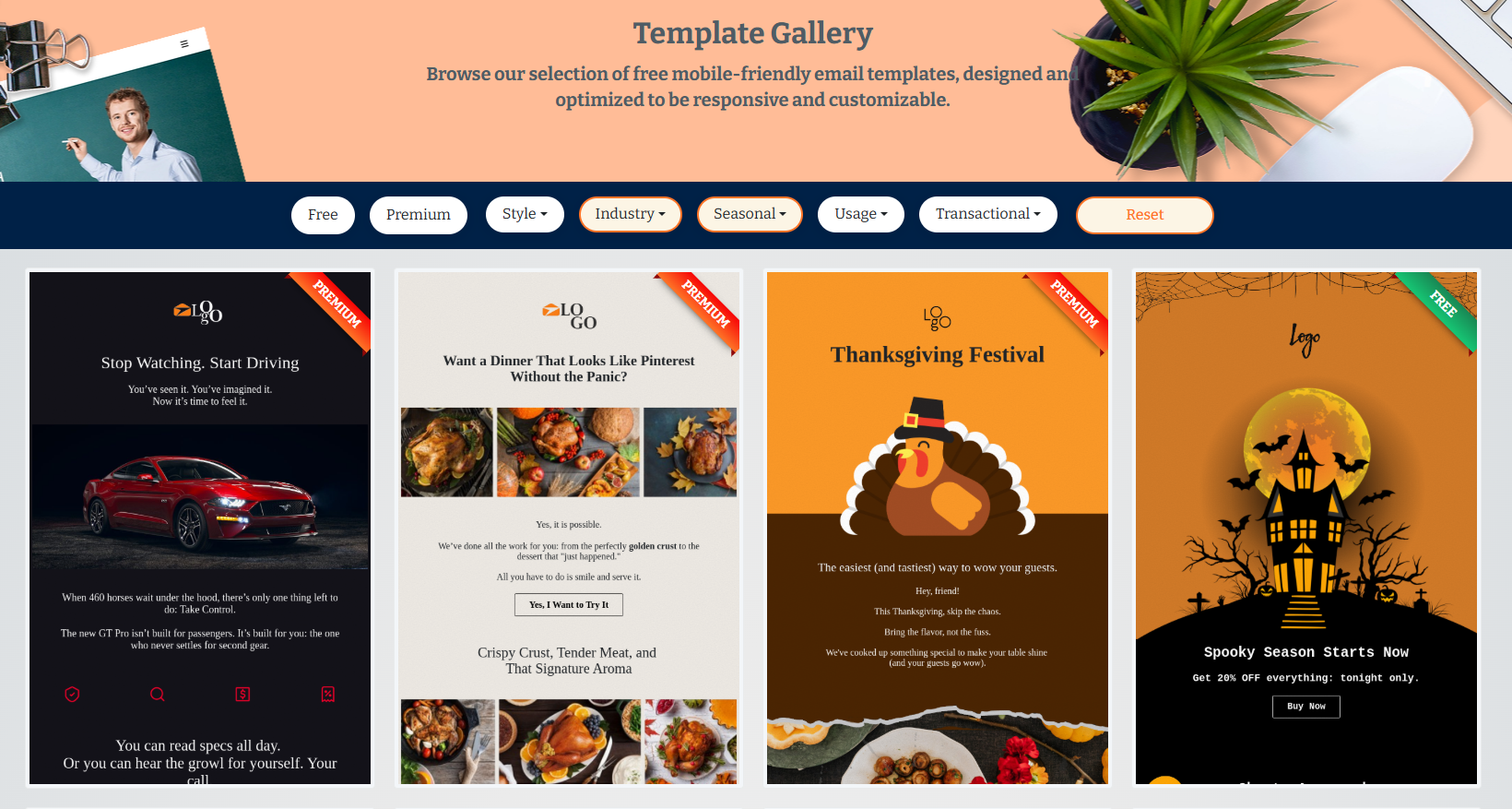
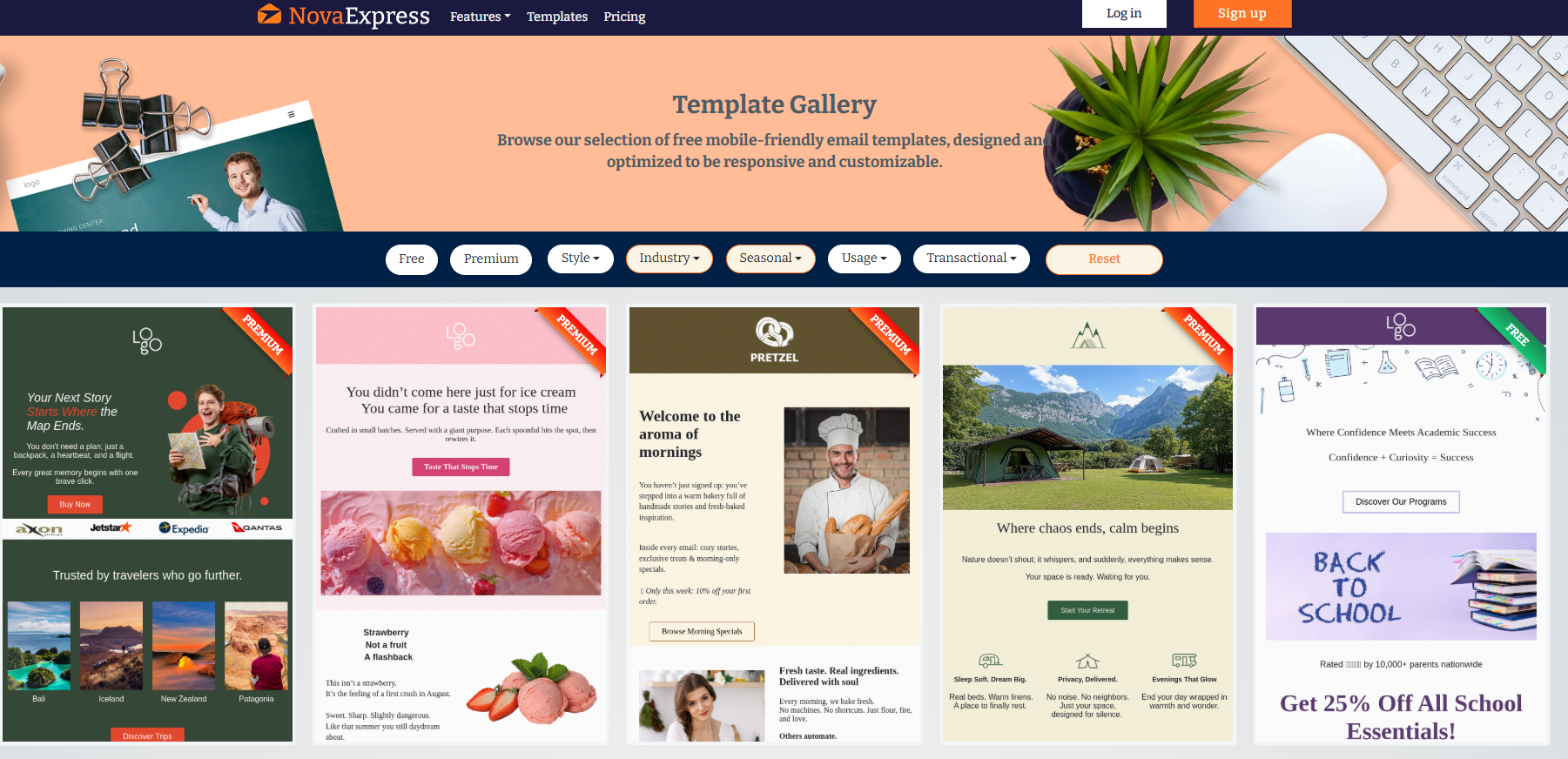
270+ Free Email Templates: 4 Categories for Every Marketing Scenario
1. Industry-Specific Templates
Your industry has unique conversion triggers. A fitness studio’s class reminder email needs bold CTAs and high-energy visuals. A law firm’s newsletter requires professional typography and credibility signals.
Available industries:
- E-commerce: Product grids, sales announcements, cart recovery
- Fitness/Wellness: Class schedules, membership renewals, transformation stories
- Real Estate: Property listings, open house invites, market reports
- Food & Beverage: Menu updates, reservation confirmations, loyalty rewards
- SaaS: Feature announcements, onboarding sequences, upgrade prompts
- Education: Course launches, webinar invites, student progress updates.
Each template includes industry-specific placeholder content. You’re not starting from a blank page; you’re editing copy that already speaks to your audience.
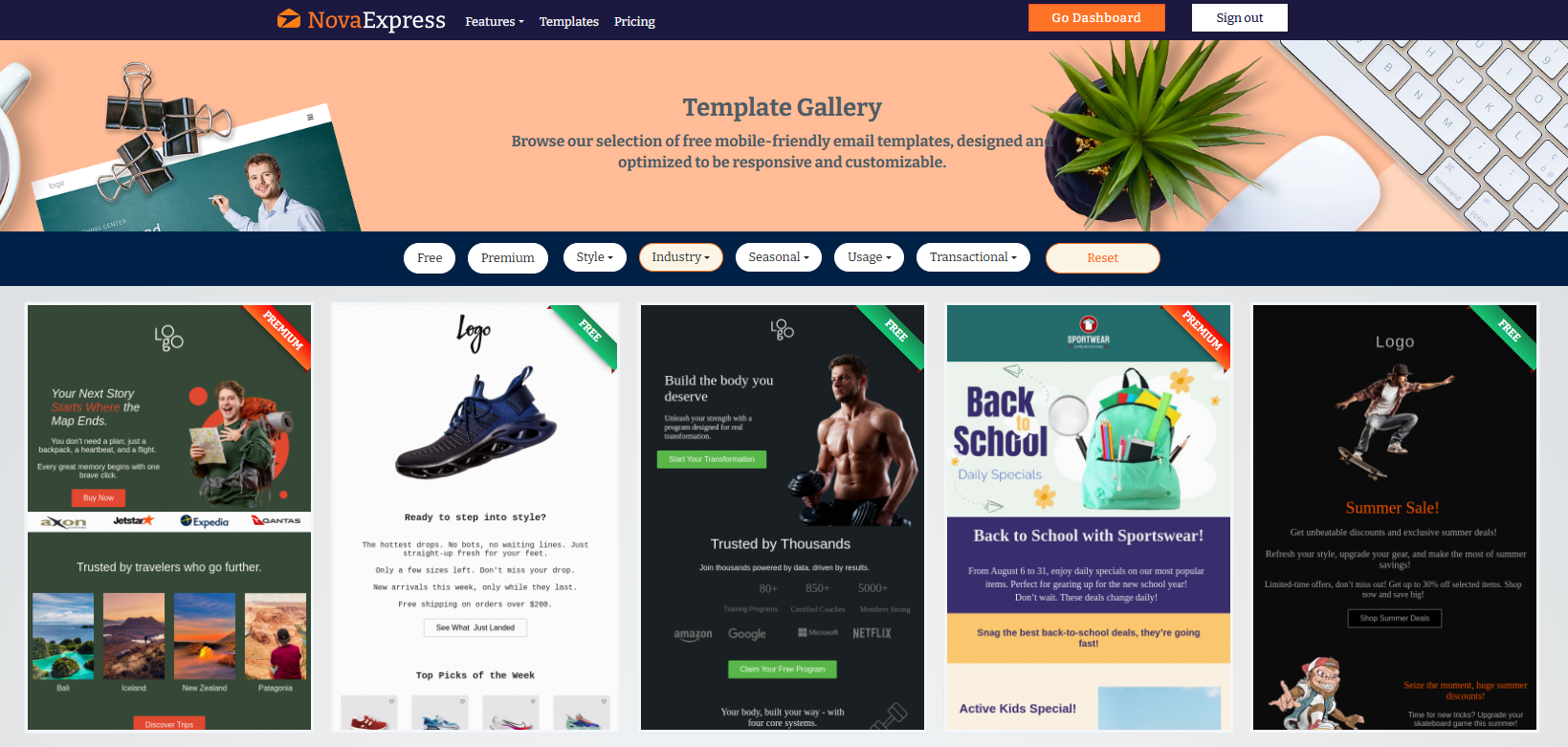
2. Seasonal Templates
Stay Relevant All Year Long
Instantly access a curated library of professionally designed email templates for every major holiday and seasonal campaign, all inside the “Seasonal” filter.
What’s Inside
April Fool’s Day — Fun, playful designs to engage and delight your audience.
Back to School — Smart layouts for student discounts, bundles, and new term offers.
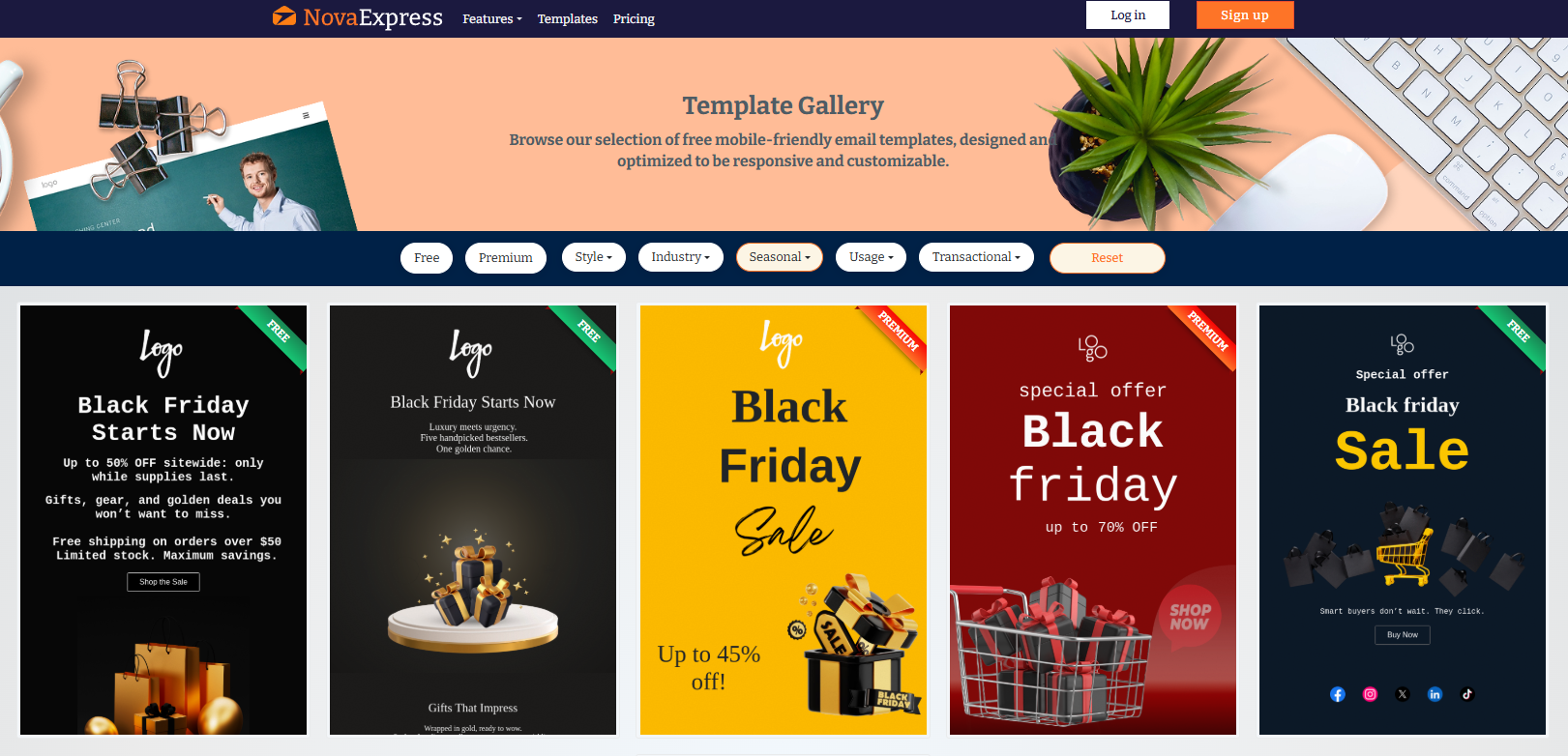
Black Friday & Cyber Monday — Bold countdowns, urgency banners, and high-impact deal sections.
Christmas & New Year — Festive themes with gift highlights, warm wishes, and end-of-year promotions.
Easter, Fall, Spring, Summer, Winter — Fresh visuals for every season, from sunny vacation promos (40+ options!) to cozy winter campaigns.
Valentine’s Day, Mother’s Day, Father’s Day — Heartfelt, occasion-optimized templates to drive engagement and gift sales.
Halloween, Thanksgiving, Labor Day, Memorial Day, Independence Day — Eye-catching creative for newsletters or powerful sales pushes.
Specialty Days — National Donut Day and more, because even niche moments deserve top-converting templates.
📝 How It Works
1️⃣ Open the “Seasonal” filter
2️⃣ Choose your desired occasion
3️⃣ Preview, import, and edit, no design skills required
4️⃣ Launch a perfectly executed campaign
Why It Matters
No more outdated layouts or last-minute scrambles. With Nova Express, every event and season is covered, so your emails always land on time, on trend, and ahead of the competition.
3. Usage Templates: Built for Every Campaign
Find goal-specific templates instantly with the “Usage” filter in Nova Express.
Available types:
- Abandoned Cart – Recover lost sales.
- Announcement – Share news or updates.
- Apology – Rebuild trust.
- App & Download – Promote launches or resources.
- Confirmation & Delivery – Send receipts and tracking info.
- Discount & Sale – Drive conversions fast.
- Event – Invite, remind, and follow up.
- Holiday – Celebrate in style.
- Newsletter – Curated stories and updates.
- Notification – Send instant alerts.
- Product Update – Announce new features.
- Thank You – Strengthen relationships.
How It Works:
1️⃣ Open the “Usage” filter.
2️⃣ Choose your campaign type.
3️⃣ Get proven, high-converting templates ready to send.
Result:
No searching, no guessing, just the perfect template for every message.
Want to learn more about email copywriting? Check out our guide: David Ogilvy Email Rules That Convert.
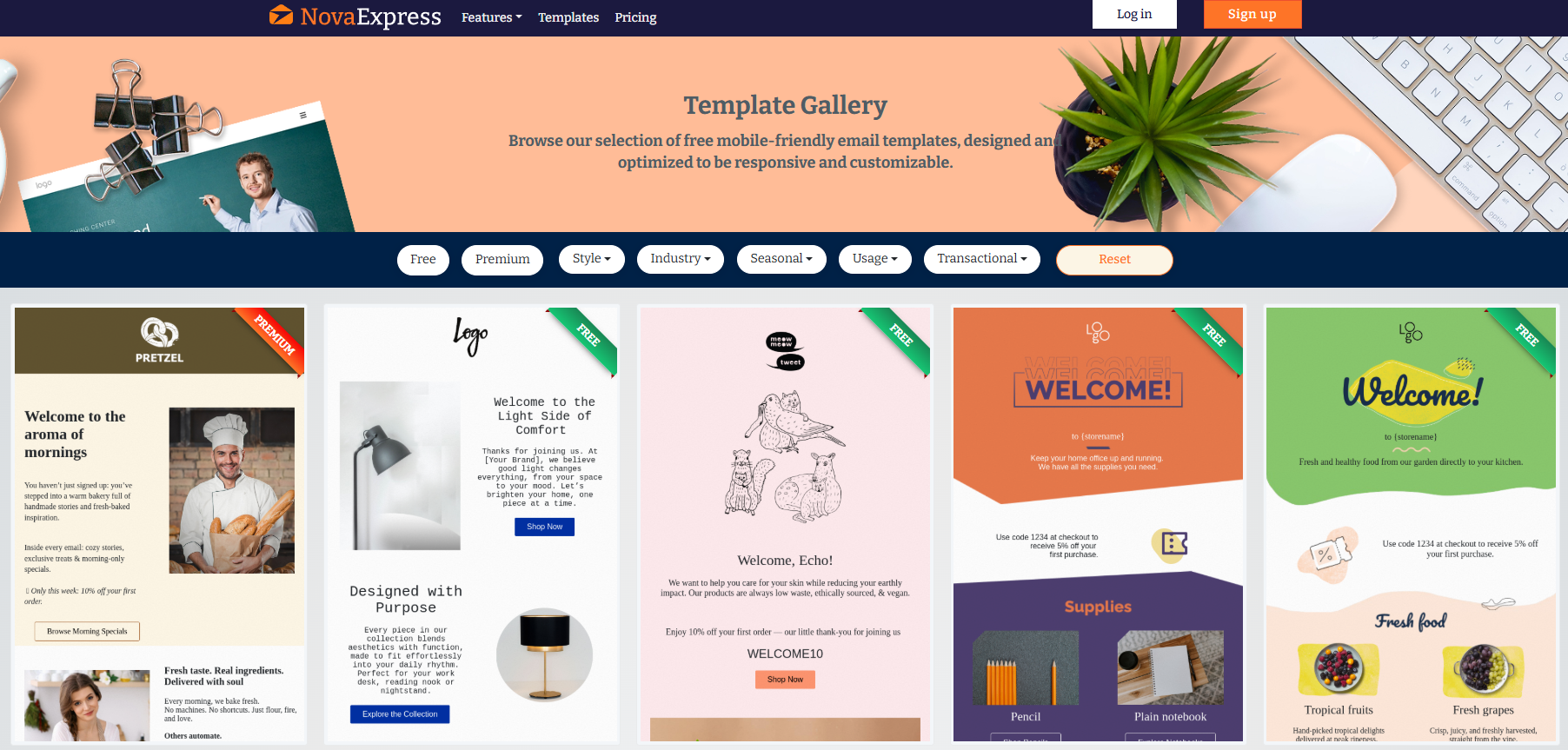
4. Style-Based Templates That Match Your Brand
Brand consistency isn’t optional. If your voice is playful and bold, a corporate-style template creates friction. If you’re all about clarity and calm, loud colors dilute your message.
Choose a style that speaks your language:
- Colorful: High-contrast, vibrant palettes and oversized elements for a bold, immediate impact.
- Dark: Sleek, high-end feel, ideal for luxury, tech, and entertainment brands.
- Light: Airy, classic look with gentle color accents, perfect for lifestyle and wellness.
- Minimalist: Clean layouts, generous whitespace, and single-column design for maximum clarity.
- Professional: Corporate typography, structured sections, and a credibility-first tone for B2B and finance.
Style doesn’t sacrifice conversion. Even our minimalist templates drive clicks with clear CTAs, mobile-first layouts, and emotional clarity baked in.
5. Transactional Templates: Fast, Clear, On-Brand
Your transactional emails deserve more than plain text. Every order, receipt, or password reset is a touchpoint to build trust and brand recognition.
Available templates:
- Order Confirmation: Clear summary, next-step CTAs.
- Shipping Update: Real-time tracking and status bars.
- Password Reset: Secure, friction-free flow.
- Subscription Renewal: Payment confirmation, upgrade option.
- Invoice / Receipt: Clean, professional format.
Each design is mobile-ready, accessible, and brand-consistent, turning routine messages into polished experiences.
What Makes a Template Worth Using
Not all email templates are created equal. Here’s what separates conversion-tested templates from time-wasting disasters:
Mobile-first responsive design: 62% of your subscribers read on phones (Litmus Email Analytics, 2024). If your email template breaks on mobile, you’ve lost 2/3 of your audience. Nova Express templates automatically adjust layout, font sizes, and button dimensions for screens 320px to 2560px wide.
Cross-client compatibility: Your email renders differently in Gmail (clipped after 102 KB), Outlook (ignores modern CSS), and Apple Mail (supports interactive elements). Each template is tested in 40+ email clients (Gmail, Apple Mail, Yahoo, Samsung Mail, Thunderbird, and more), so your design looks perfect everywhere.
Dark mode optimization: Eight out of ten smartphone users now run dark mode, making it essential for emails to render correctly in this environment. Templates with hard-coded white backgrounds become unreadable, hurting readability and brand perception.
Accessibility compliance: Over 1.3 billion people, or 16% of the global population, live with a significant disability (World Health Organization, 2024).
Templates must meet WCAG 2.1 standards: sufficient color contrast (4.5:1 ratio), semantic HTML for screen readers, keyboard-navigable CTAs, and alt text for all images.
Spam filter validation: Email templates with excessive images, poor text-to-image ratios, or spammy keywords trigger filters. Nova Express templates maintain optimal text-to-image balance, avoid spam trigger words, and include proper SPF/DKIM/DMARC authentication guidance.
Loading Speed: Heavy templates (>100KB) often get “clipped” by Gmail or load slowly on mobile networks. Our templates are aggressively optimized to be less than 75 KB with compressed images and minimal CSS.
The 3-Click Launch System
Traditional email campaign launch: find template → download → upload to ESP → fix broken formatting → test send → discover mobile issues → fix again → re-test → finally launch.
Total time: 3–5 hours.
With Nova Express, it takes just 15 minutes from template selection to campaign launch
Step 1: Find Your Perfect Template (1 Minute)
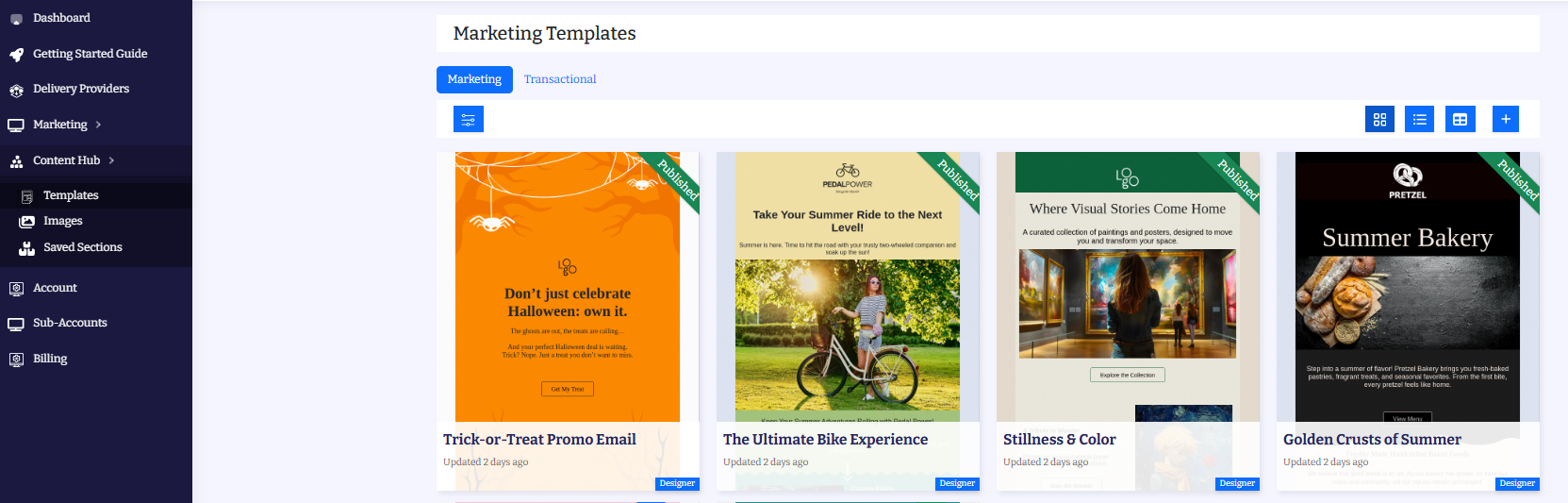
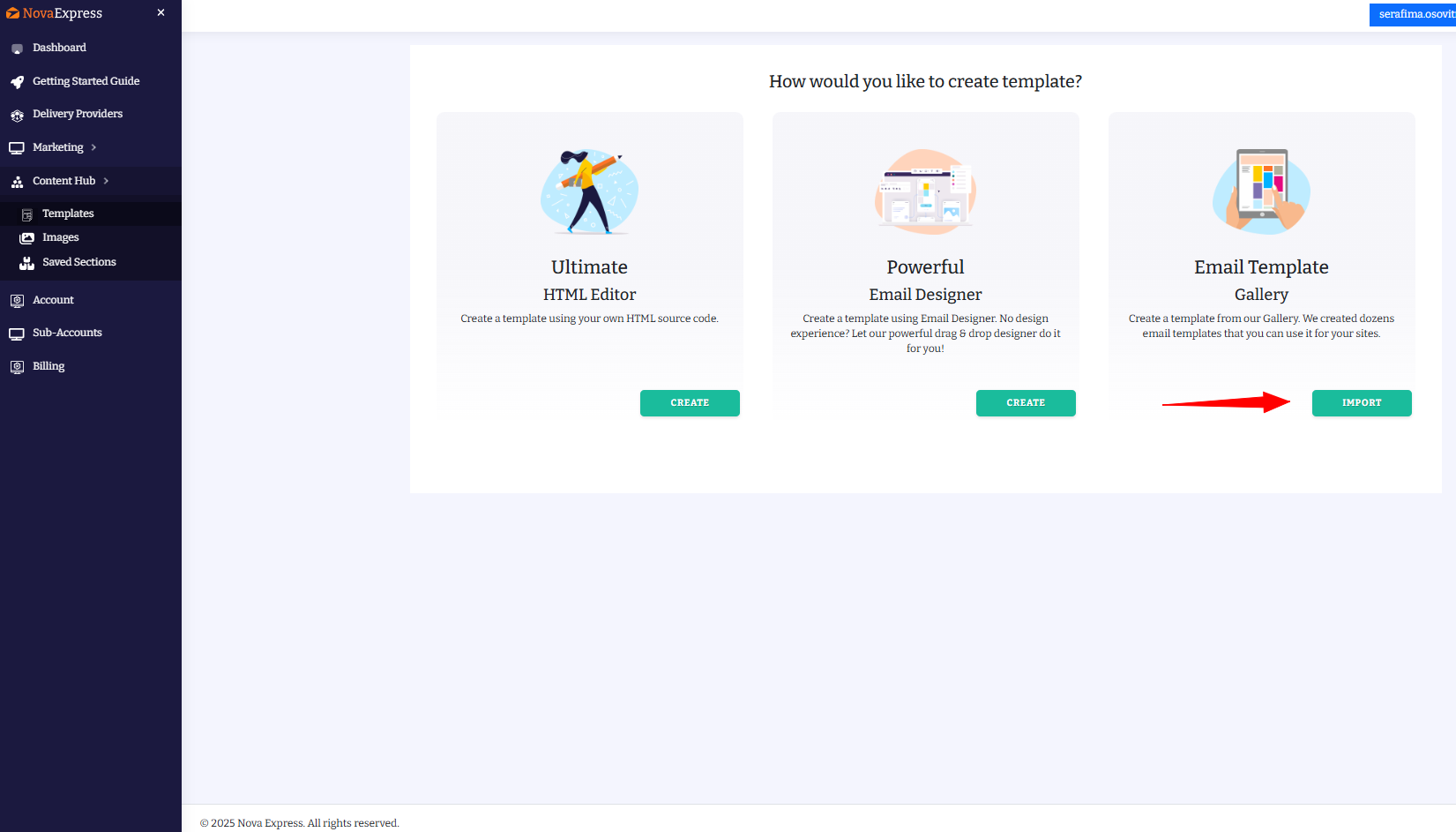
Go to Content Hub > Templates > Email Template Gallery.
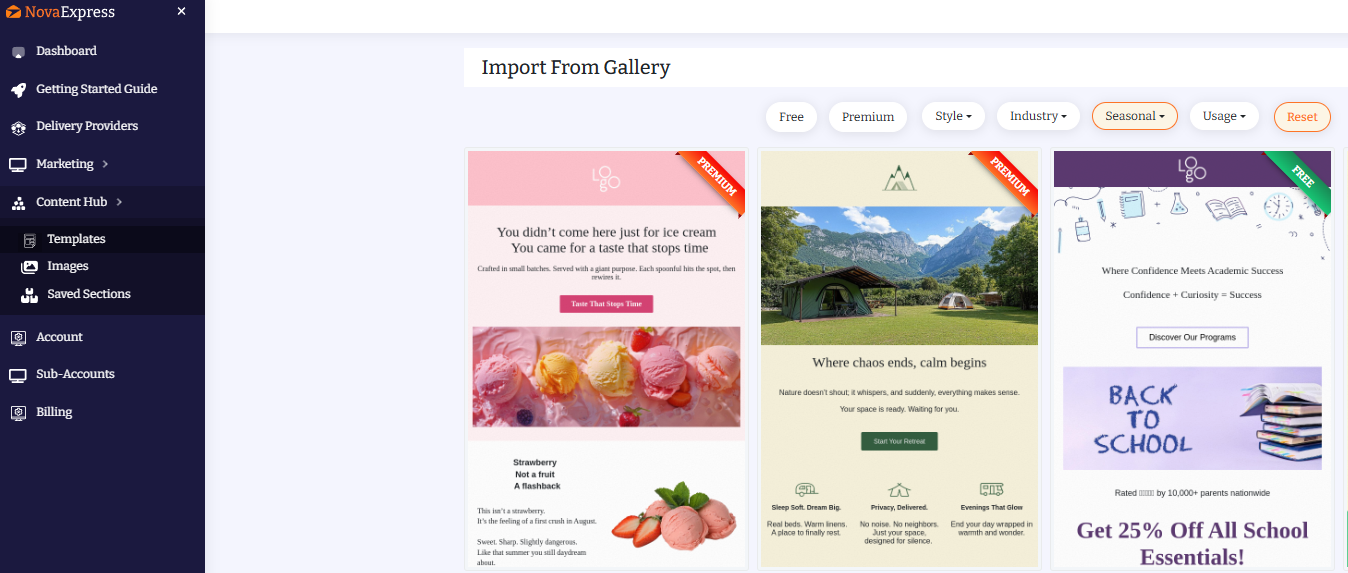
Filter by industry, season, or style and instantly see 3–8 relevant designs.
Click “Import from Gallery” (or “Use This Template”) and it opens in your account, ready to edit. No design skills. No uploads. No ZIP files.
Step 2: Customize in Visual Editor (10 minutes)
Click “Use This Template.” The drag-and-drop editor loads instantly with your selected template. You see exactly what subscribers will see.
Customization options:
- Replace placeholder text with your copy (or use AI Copywriter to generate it).
- Upload your logo and product images (free stock photos included if needed).
- Adjust colors to match your brand palette (hex code input or color picker).
- Edit CTA button text and destination URL.
- Rearrange sections with drag-and-drop (no code required).
Every change is updated in real time. You see desktop, tablet, and mobile previews simultaneously.
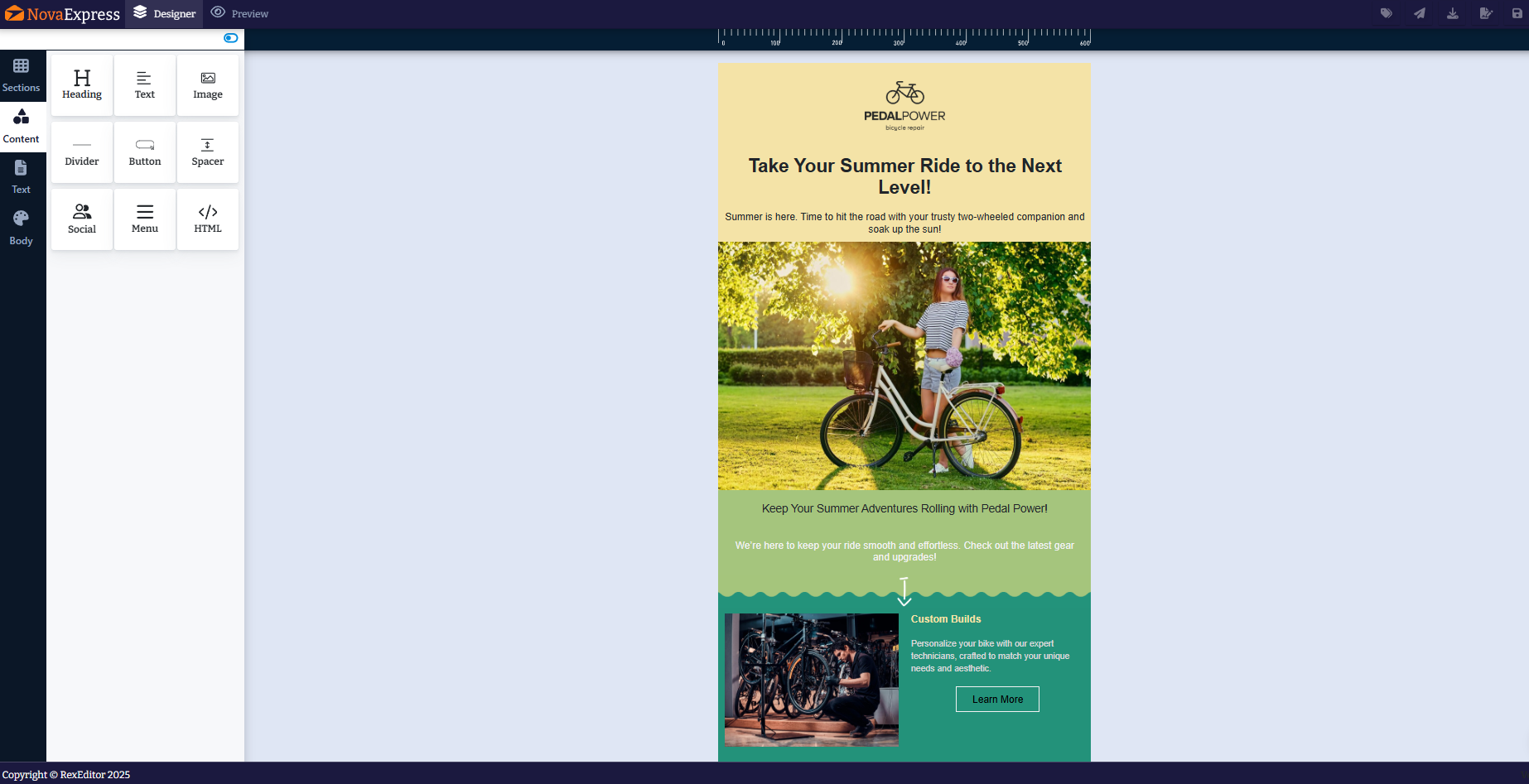
How to Add Images to Your Template
1. Open the Template Editor
Go to Content Hub → Templates, select a design, and click “Use This Template.”
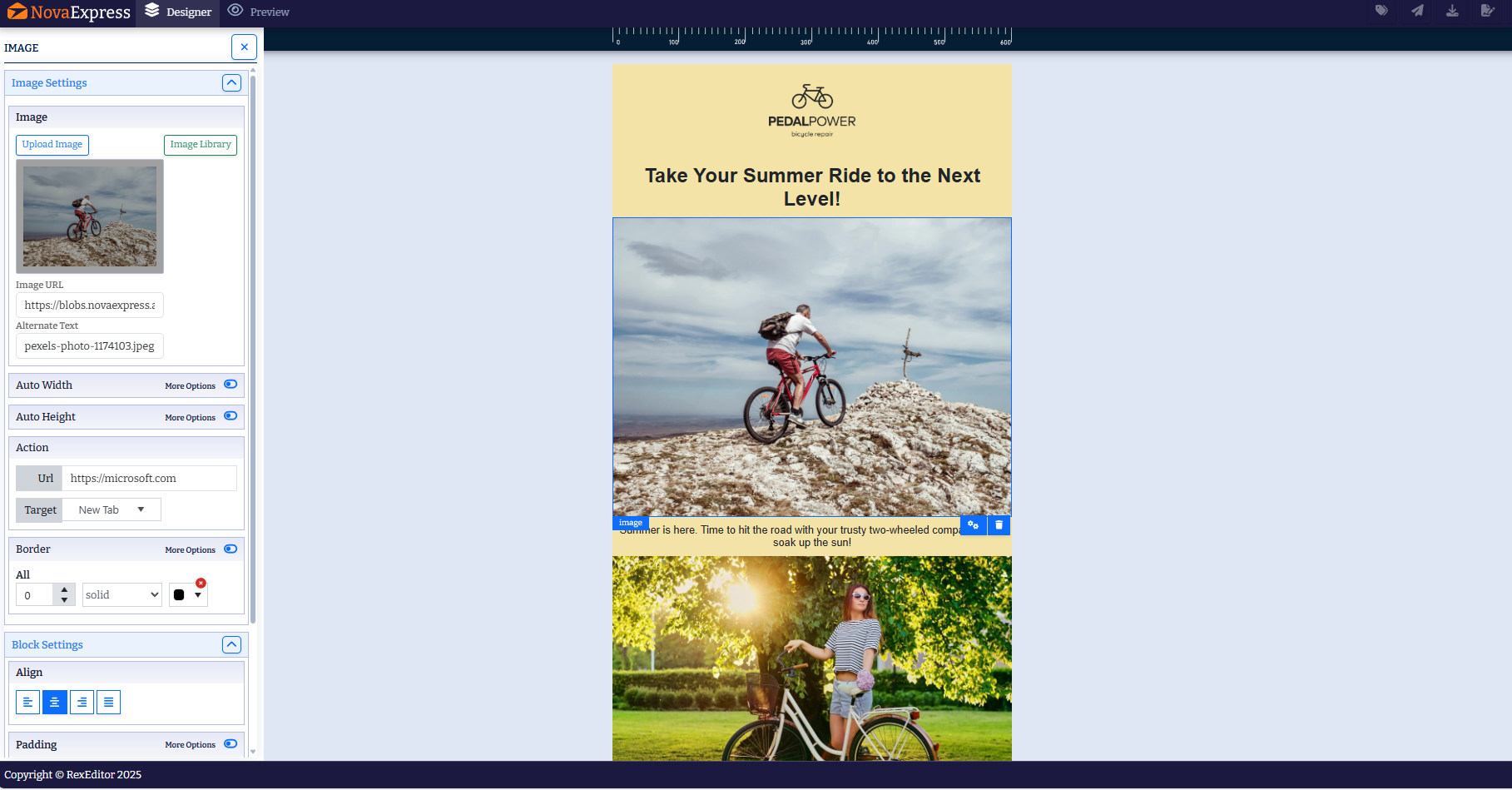
2. Click an Image Block
Hover over any image and select it. The Image Settings panel will open automatically.
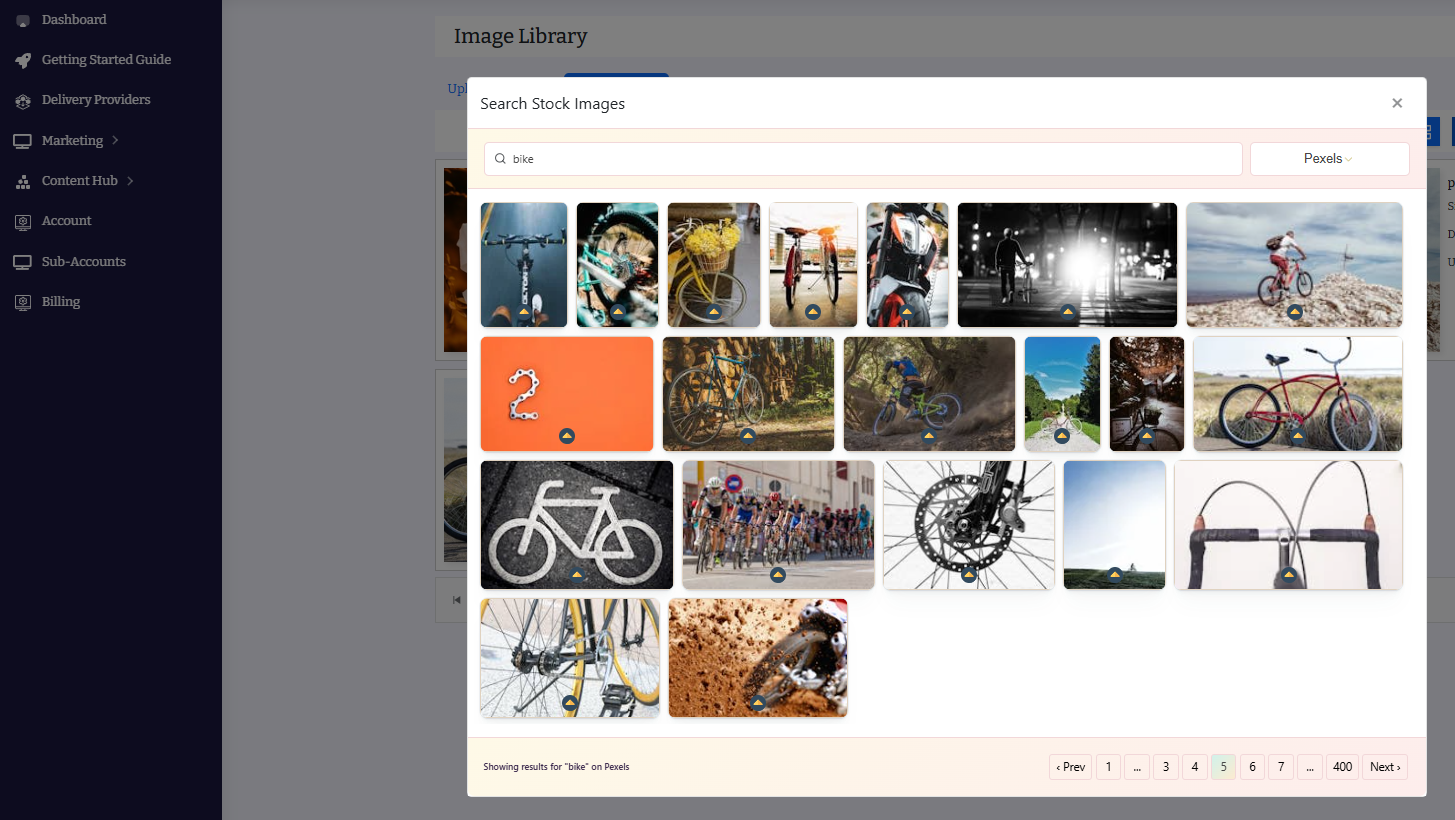
3. Choose Your Image Source
- Stock Library: Search and insert from the built-in stock collection.
- Upload: Add your own image, then adjust size or links as needed.
4. Save Changes
Click “Save & Close.” Your updated template is ready to send.
💡 Pro Tip: Use stock images for speed; use custom uploads for consistent branding.
Once you’re happy with your design, click Save & Close. Confirm publishing when prompted. This ensures your changes are live and ready to use in campaigns.
Step 3: Test and Launch (4 minutes)
Ready? Go to Marketing > Campaigns, create a new campaign, select your template, and hit Send Now or Schedule.
Click “Send Test Email” to your inbox. Check rendering on your phone and desktop.
Your email is sent via Mailgun or Amazon SES (99.9% deliverability) at $0.10 per 1,000 emails. No hidden fees. No contact-based pricing traps.
For agencies managing multiple clients: Use subaccounts to keep each client’s templates and campaigns isolated. Switch between accounts in one click.
No hidden costs. No contact traps.
Most platforms charge by contact volume, often starting at $100/month for just 5,000 contacts. With Amazon SES, you pay just $0.10 per 1,000 emails, saving $3,000+ per year.
Nova Express is different: for $20/month, you get the entire platform, including:
- Unlimited contacts and sends
- 270+ free email templates
- Drag-and-drop email builder
- AI copywriting tools
- Sub-accounts for agencies
- Full analytics
No contact or send limits. (Plus, low-cost sending via Amazon SES is only $0.10 per 1,000 emails.)
💡 Curious how send-based pricing stacks up against traditional models? → See the full breakdown.
Need help launching your first campaign? → Follow this step-by-step guide.
Master the art of the welcome email. Explore our Best Welcome Email Examples to discover five proven, psychology-backed strategies that boost conversion.
Many marketers ask, “Is Nova Express really that different?”
A recent independent review on SaasHunt answers that clearly: “Nova Express doesn’t charge per contact or per send. Instead, it offers a flat $20/month for unlimited everything while giving you full control over deliverability via Amazon SES or Mailgun.”
FAQ
Do I need design skills to use these templates?
No. Every template is designed for non-designers. The drag-and-drop editor lets you customize colors, text, images, and layout without touching code. If you can edit a Google Doc, you can customize these templates. For copywriting help, use the built-in AI Copywriter to generate subject lines and email body content in seconds.
Are all 270+ templates included in the $20/month plan?
Yes. There’s no freemium model or premium tier. Your $20/month subscription includes unlimited access to every template in the gallery. New templates are added monthly at no extra cost. You also get unlimited email sends (you only pay Amazon SES cost: $0.10 per 1,000 emails).
How do I know these templates will work for my industry?
Every template is tagged by industry (e-commerce, SaaS, fitness, real estate, etc.) and tested with real campaigns. If you’re unsure which template fits your needs, use the gallery filters to narrow your search by industry, campaign type, and style. You’ll see 3–8 highly relevant options that match your exact scenario. Still stuck? Contact support for template recommendations based on your business model.
Ready to Launch Your Next Campaign in 15 Minutes? Stop wasting hours on email design.
With Nova Express, you get:
✅ 270+ free email templates (all industries, all campaign types)
✅ Drag-and-drop editor (no coding required)
✅ Flat-rate pricing ($20/mo., unlimited sends)
✅ AI copywriter (generate subject lines instantly)
✅ Mobile-optimized (tested across 40+ clients)
Start free today →novaexpress.ai (no credit card required).
Recommended Reading
Want more email marketing insights and campaign tips? Check out:
- How to Start Email Marketing: Guide for Beginners
- How to Start Your First Email Campaign
- Amazon SES Integration Guide
- Mailgun Integration Guide
- Email Warm-Up Guide: 4 Weeks to 90% Inbox Placement
- Dan Kennedy’s Email Marketing Principles
- NotebookLM for Marketers
- AI Tools for Marketers
- Nano Banana Pro: The Complete Guide for Marketers 2026
- 2026 Holiday Marketing Calendar
This article was originally published in 2025 and updated in 2026 to include the latest strategies and data.
About the author
Serafima Osovitny is a Marketing Manager at Nova Express, where she focuses on digital marketing, search visibility, content strategy, and marketing workflows. She writes practical guides that help marketing teams research their audiences, develop strategies, and put their plans into action.
Explore her work at serafima.digital and follow her on X: @OSerafimaA.








Simple but helpful. Loved that everything is ready to use.