

Marketing teams lose hours every week hunting for stats, organizing scattered notes, and compiling quarterly reports. With NotebookLM, you can compress that work into under 30 minutes, using only your own sources, not the open web.
NotebookLM is Google’s research assistant built around your own sources. It has a generous free tier for most teams, plus paid plans for higher limits. Upload documents, ask questions, and get answers with clickable citations, exact quotes, and links to specific pages instead of vague “according to research” summaries. Since responses are grounded in your files, they’re much more reliable for research and analysis than a standard AI chatbot.
In this guide: a practical walkthrough of NotebookLM for marketers with 5 real use cases and ready-to-use prompts you can copy today.
What Is NotebookLM, and Why Does It Work Differently Than ChatGPT?
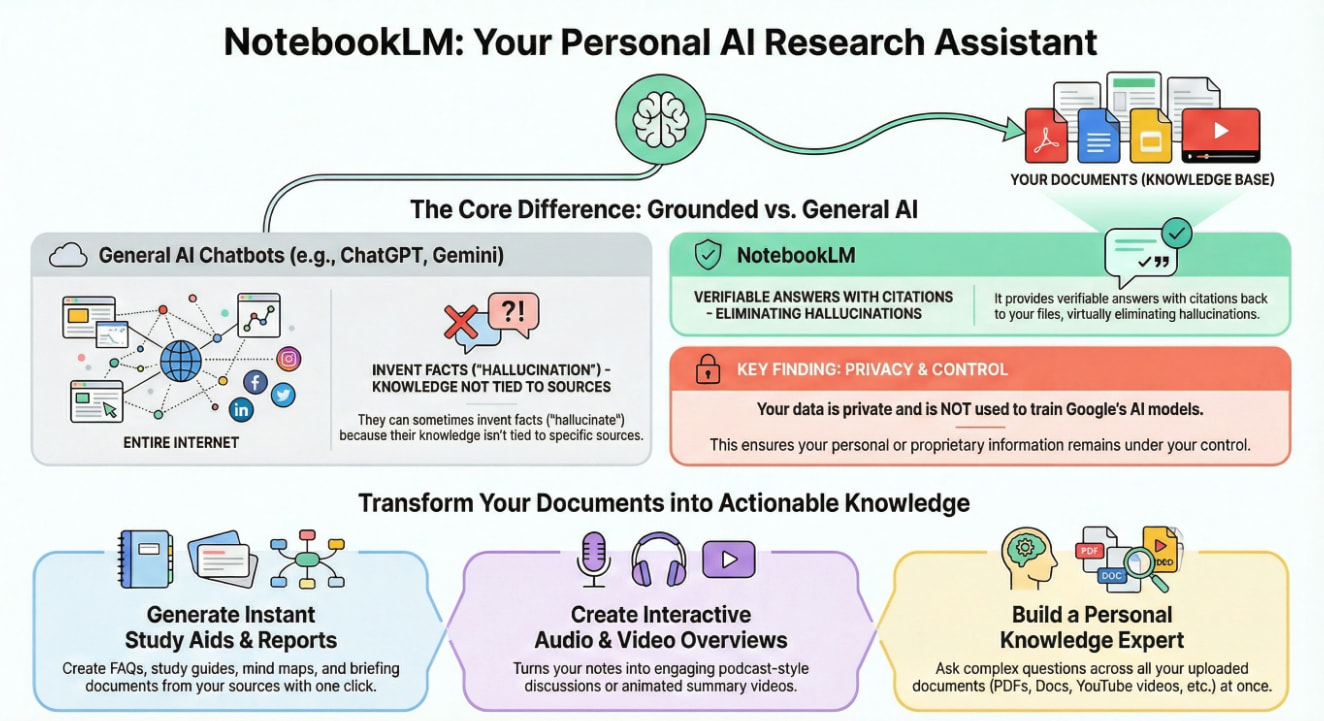
NotebookLM operates fundamentally differently from familiar chatbots. You upload your materials, PDF reports, Google Docs, article links, YouTube videos, audio files, and even photos of handwritten notes, and the AI analyzes only those sources using RAG (Retrieval-Augmented Generation).
RAG works by identifying relevant fragments in your documents and then formulating answers based solely on them. This means no hallucinations, no invented facts, just your actual data. Every response includes clickable links to sources, so you can verify any point in seconds.
The key difference from tools like ChatGPT is that NotebookLM never “goes to the internet” for answers mid‑conversation; it stays strictly inside the sources you uploaded.
A typical scenario: You’re preparing a presentation for leadership. You have 15 documents from different sources: analytics, campaign reports, call recordings, and market research.
You need to find specific numbers, cross-check data, and make sure nothing is outdated. Previously, that meant opening multiple files, searching for the right information, and copying everything manually. It could easily take half a day.
With NotebookLM, you upload everything into a single notebook and ask, “Which three ad campaigns delivered the best ROI this quarter, and what factors influenced their performance?” About 30 seconds later, you get a structured answer with direct quotes from your own documents and links to the exact source pages.
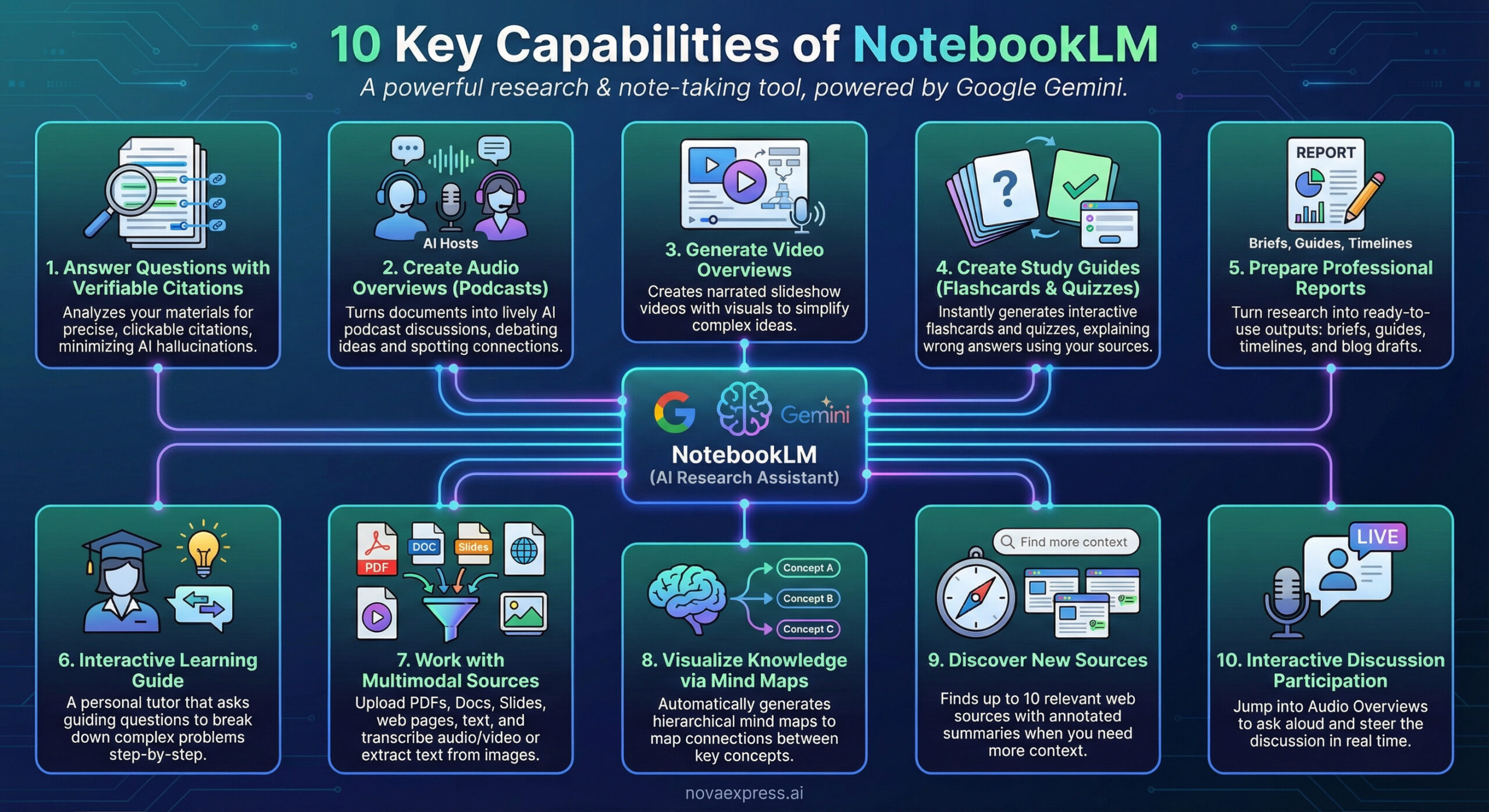
Key NotebookLM Capabilities
Diverse Source Uploads: The free version supports up to 50 sources per notebook; paid plans increase this to 300 or 600, depending on the tier. Each source can be up to 200 MB or 500,000 words. Supported formats include PDF, Google Docs, Google Slides (up to 100 slides), Google Sheets, Word documents, images, audio and video files, web page links, and YouTube videos. NotebookLM automatically extracts text from all these formats.
Search with Deep Links: This is the killer feature. Every answer includes links to specific locations in your documents. You don’t see generic “according to research”; you see the exact quote with the page number. One click, and you’re in the original. You can hover over any citation to preview the quoted text before clicking; there’s no need to leave the conversation to verify a fact.
Note: interpretation errors are still possible, so verify mission-critical facts against original sources before presenting to leadership.
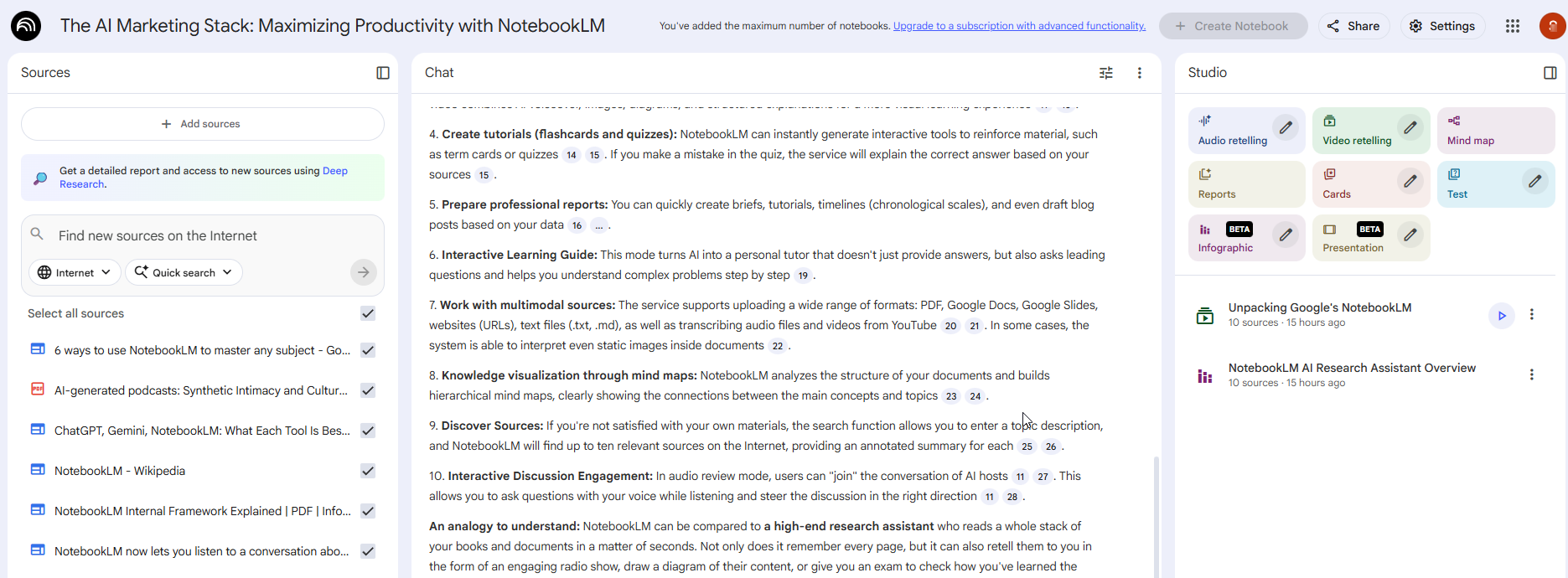
Content Generation: NotebookLM can create finished content from your materials: slide presentations, video overviews with AI voiceover, podcasts with two realistic voices, text reports of 2,000–3,000 words, interactive mind maps (each node expands with details and links to source quotes; download as PNG for presentations), timelines, flashcards, and quizzes. All based only on your documents, no improvisation.
In early 2026, NotebookLM also rolled out two powerful slide-generation upgrades for marketers. NotebookLM now supports Prompt‑Based Revisions, so you can refine auto‑generated slide decks through a conversational prompt loop instead of manual editing in the slide editor.
On top of that, the new PPTX export lets you download AI‑generated decks as PowerPoint files and finalize them in Microsoft PowerPoint or your standard corporate template.
Built-in Source Discovery: The Fast Research and Deep Research features help find quality sources on your topic. Fast Research finds 10 relevant documents in 30 seconds, while Deep Research conducts a deeper investigation and gathers more materials. This isn’t an ordinary Google search; NotebookLM filters for quality primary sources.
Collaborative Work: Just like Google Docs, you can invite colleagues as editors or readers. You can even publish a notebook publicly and share the link.
NotebookLM Limits and Pricing: A Human-Friendly Comparison
No need to worry about immediate payment. NotebookLM offers a very generous Free Tier that should be plenty for most marketers. If, however, you need to handle massive amounts of data, the Paid Plans significantly expand your capacity.
Free Tier Capabilities: What You Get
The free version provides the following key limits:
| Parameter | Free Tier Limit |
| Notebooks | 100 |
| Sources per Notebook | 50 (your documents) |
| Words per Source | Up to 500,000 |
| File Size | Up to 200 MB |
| Chat Queries | 50 per day |
| Generations | 3 audio/video generations per day |
In practice, the Free Tier is enough for most solo marketers or small teams running a few active initiatives (email, paid ads, content) and doing regular reporting.
Heads Up: These limits are subject to change. Always check the official NotebookLM pricing page for the most current quotas.
Paid Plans: Powering Up Your Research
The paid tiers primarily boost the number of sources you can work with simultaneously and increase your daily quotas.
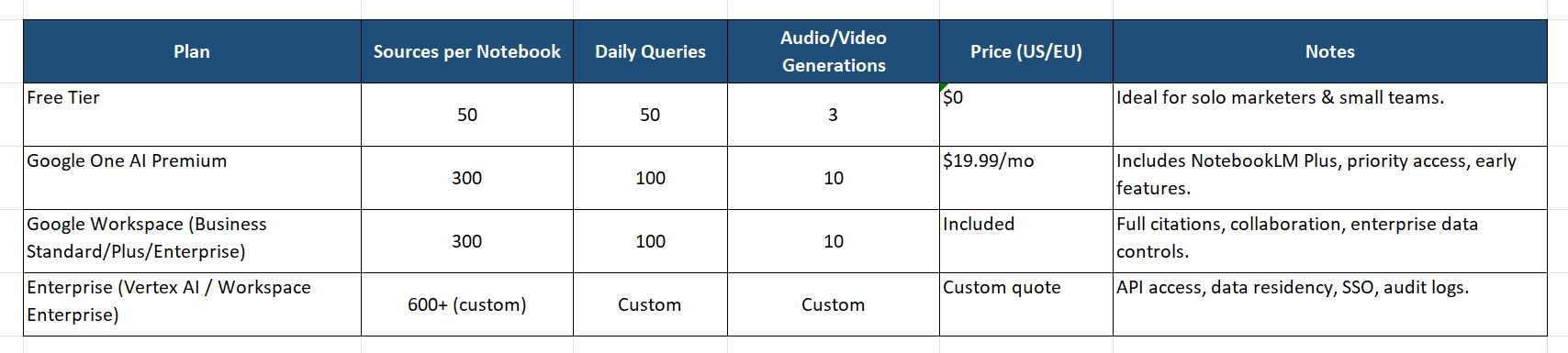
ℹ️ All limits and pricing as of January 8, 2026. Regional variations may apply. Verify at notebooklm.google.com/pricing.
Data Privacy: Your Data Stays Yours
Here is the simple rule: NotebookLM does not train on your data.
- Personal Google Accounts: Your uploads and chats are private and are not used to train Google’s AI models. The only exception? If you explicitly click “thumbs up/down” or submit feedback, human reviewers may look at that specific interaction to improve the product.
- Google Workspace (Business) Accounts: This is enterprise-grade protection. Your uploaded files, chats, and model outputs are never used to train AI models and won’t be reviewed by human reviewers, even if you provide feedback.
The Marketer’s Takeaway: If you are analyzing public blog posts, a personal account is fine. If you are uploading sensitive Q4 campaign data, unreleased product specs, or customer PII, use your work (Workspace) account.
Import Limitations: What You Need to Know
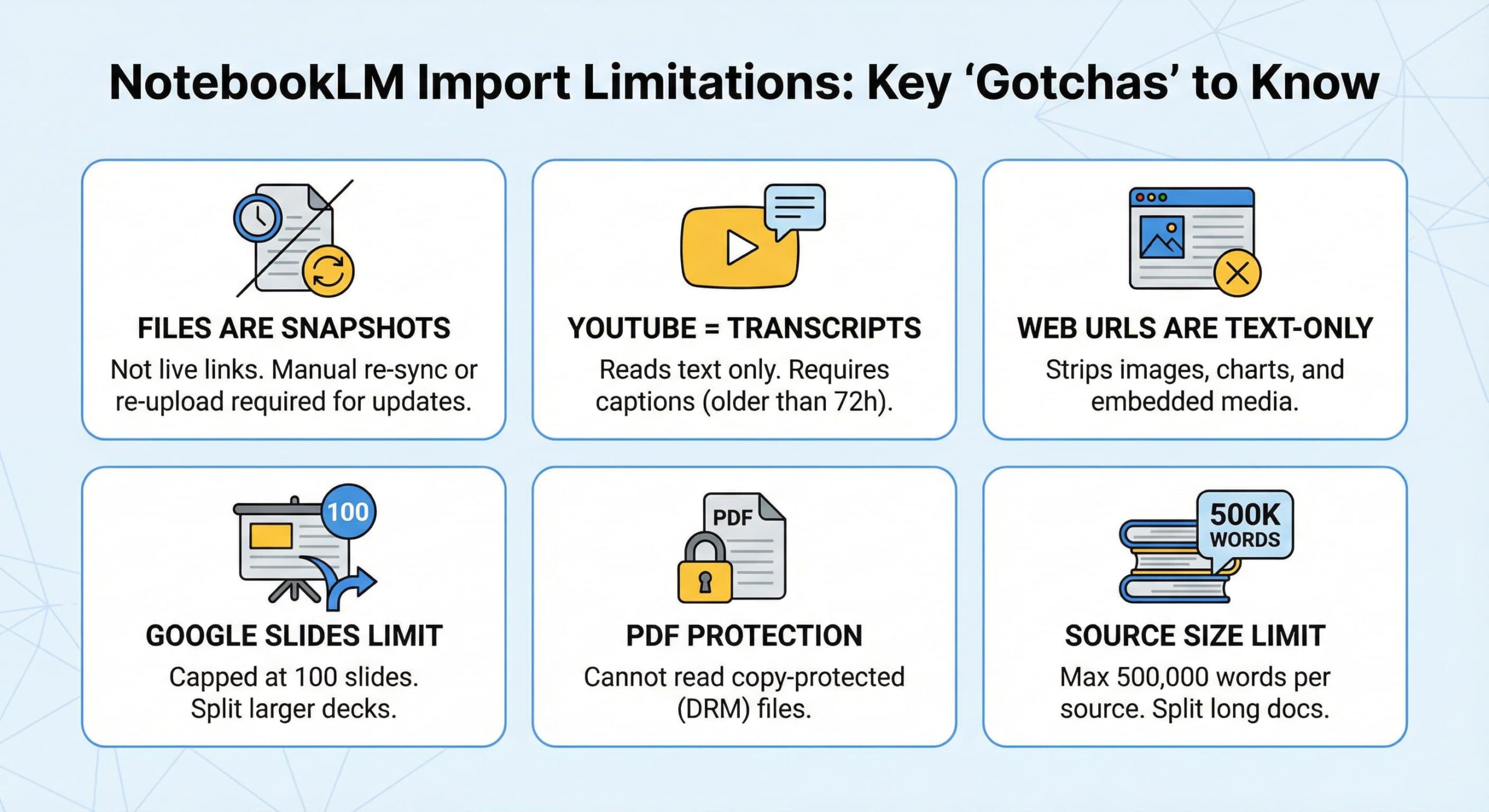
Before you upload your entire marketing archive, keep these “gotchas” in mind so you don’t waste time:
- Files are snapshots, not live links. This is the #1 mistake users make. If you update the original Google Doc after uploading it, NotebookLM won’t see the changes. You must manually re-sync or re-upload the file.
- YouTube = Transcripts only. The AI reads the text; it doesn’t “watch” the video. If a video is brand new (under 72 hours) and lacks an auto-generated caption track, the import will fail.
- Web URLs are text-only. It strips out images, charts, and embedded videos. You get the raw text, not the visual experience.
- The “100 Slide” Ceiling. Google Slides presentations are capped at 100 slides. Split your massive QBR decks into Part 1 and Part 2.
- PDF Protection. If a PDF is copy-protected (DRM), the AI can’t read it.
- Size Limits. 500,000 words per source. If you have a book longer than War and Peace, you’ll need to split it up.
- For complete import requirements and troubleshooting, visit the NotebookLM Help Center.
5 Ways to Use NotebookLM in Marketing Work
1. Cross-Channel Campaign Audit: 15 Minutes Instead of 4 Hours
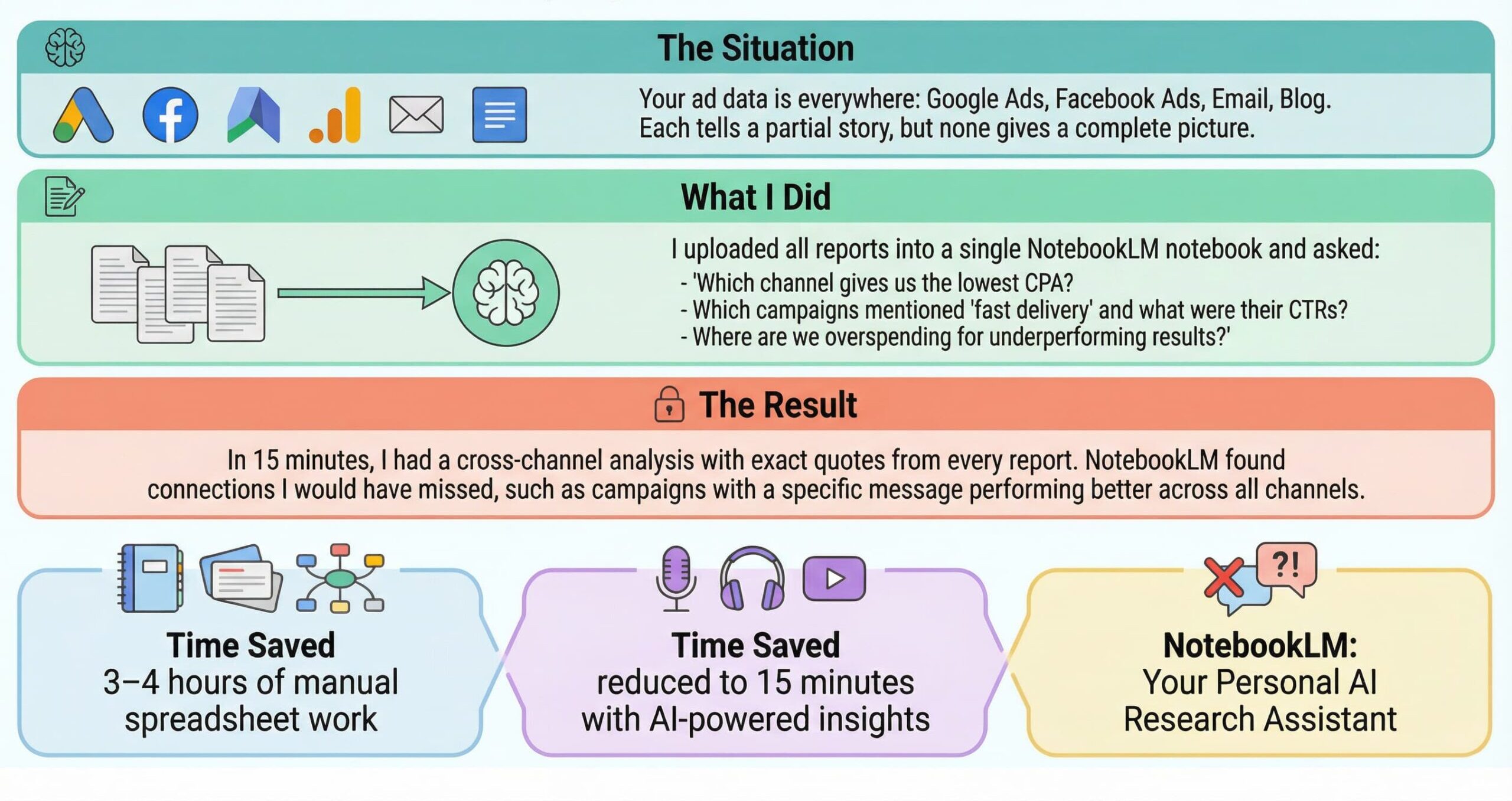
When your ad reports live in different accounts and files, a cross-channel audit turns into 3–4 hours of manual spreadsheet work. NotebookLM brings everything into a single notebook: you upload reports from Google Ads, Facebook Ads, email platforms, and e-commerce dashboards, ask a few targeted questions, and get a 15-minute summary with exact numbers and quotes from your own data.
Ready-to-use prompts:
- From the uploaded Q4 reports, list the top 3 campaigns by ROI. Include the exact ROI numbers and cite the source pages.
- Compare CPA across Google Ads and Facebook Ads for October–December. Which channel improved and which declined?
- What changed mid-quarter (budget, creative, audience), and what metric moved right after? Provide a timeline with citations.
Output: 1-page executive summary with ranked campaigns, key metrics, and source citations.
2. Onboarding a New Marketer in One Day Instead of a Week
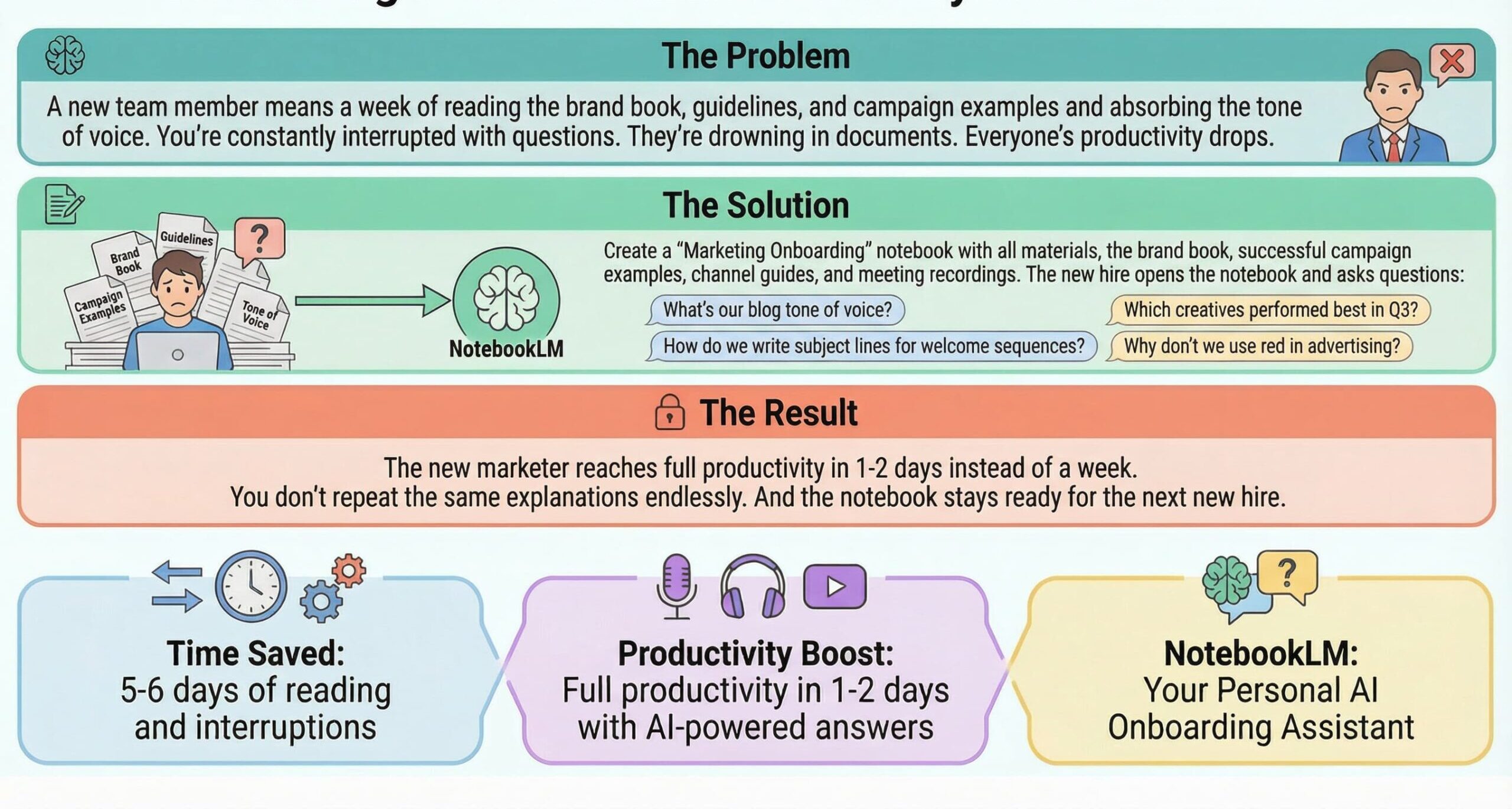
Traditionally, getting a new marketer up to speed means dedicating a full week to reading brand guidelines, digging through old campaigns, and repeatedly asking the same basic questions. With NotebookLM, you can consolidate all of that material into a single “Marketing Onboarding” notebook.
The new hire simply asks questions directly inside the notebook and reaches full productivity in 1–2 days, dramatically faster than the typical 5–6 days.
Ready-to-use prompts:
- Based on Brand Guidelines and Past Campaigns, summarize our brand voice rules: do/don’t, taboo phrases, and CTA style. Add citations.
- Create a 1-page messaging cheat sheet for a new marketer based only on these sources.
- What were our best-performing subject lines in the last 6 months? List the top 10 with open rates.
Output: Brand voice cheat sheet, messaging guidelines, and performance benchmarks all in one searchable notebook.
3. Podcasts and Videos Without a Studio or Hosts
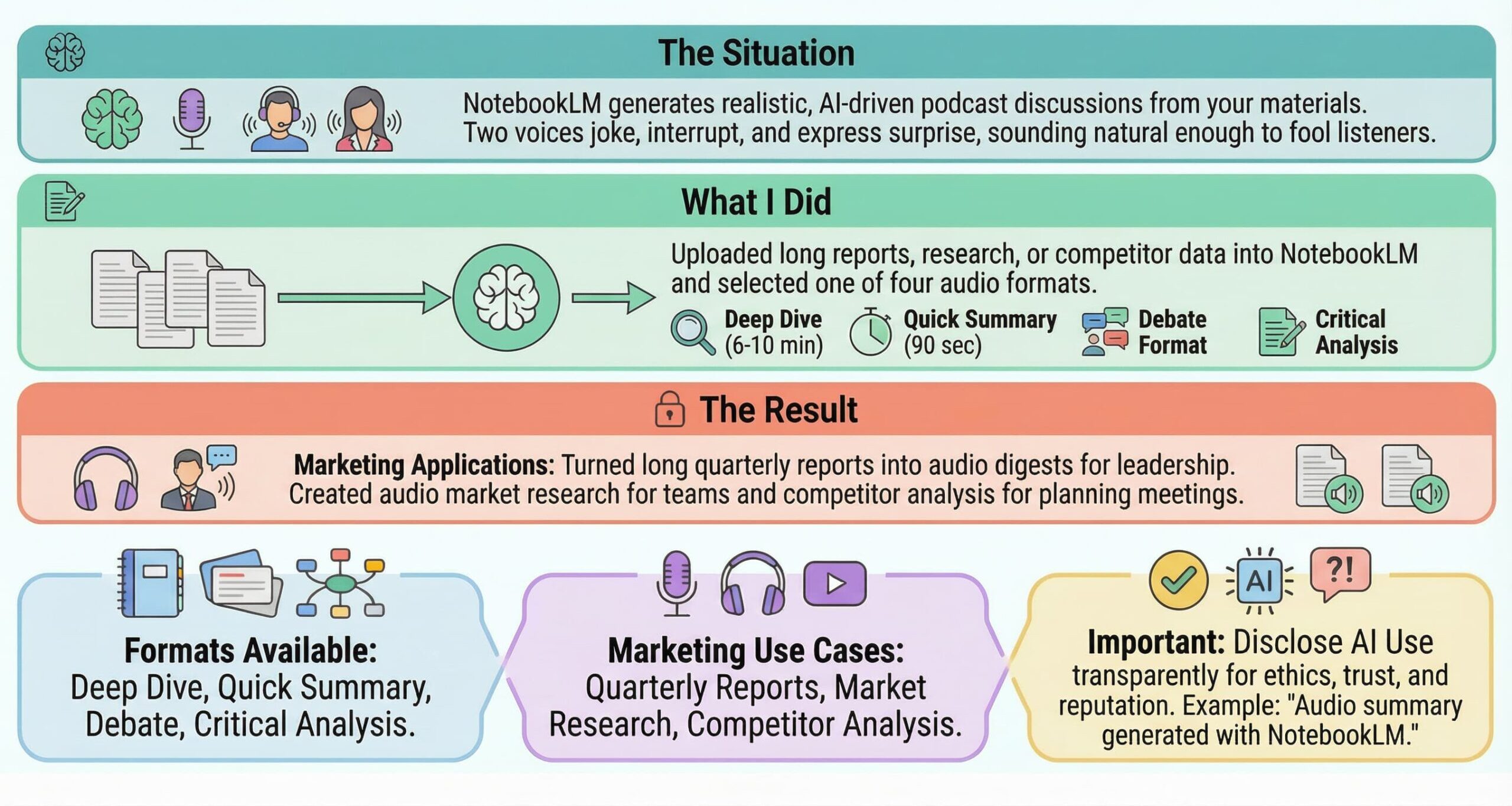
Long quarterly reports and market research sit unread because nobody has time to process them. NotebookLM turns your documents into podcasts and video digests: upload your reports and customize the audio generation prompt. Specify the style (e.g., “deep dive analysis,” “quick summary,” “debate format,” or “critical evaluation”), and receive ready audio for leadership briefings, team updates, or competitor analysis without a studio or hosts.
The Audio Overview feature creates a conversation between two AI voices discussing your material. Unlike dry text summaries, the podcast format includes natural reactions, follow-up questions, and moments of genuine enthusiasm. If you absorb information better through listening, this feature is a game-changer.
Important disclaimer: Audio Overviews are AI-generated discussions, not comprehensive or fully objective summaries. They may contain inaccuracies or miss nuances from your source material. Always verify critical information against the original documents before making decisions.
Pro tip: Customize the audio generation prompt. Instead of just clicking “generate,” specify what aspects you want the hosts to focus on: “Focus on the competitive analysis section and highlight the three biggest threats we identified.”
Always add a disclosure like “Audio created with NotebookLM” when sharing generated content for transparency.
Output: a 10–20 minute podcast episode or video digest, ready for team distribution.
Available styles: Classic, Whiteboard, Watercolor, Vintage Print, Traditional, Paper Art, and Anime. Classic is ideal for presentations and corporate guides; Whiteboard feels like hand-drawn notes; Watercolor is soft and artistic; Vintage Print adds a retro tone; Traditional mimics textbook illustrations; Paper Art has a textured 3D feel for creative campaigns; and Anime targets younger, social-first audiences.
Choose a style when generating a video overview, and NotebookLM applies that visual language across all charts and callouts. For marketers, that means a webinar on email marketing in a watercolor style becomes a friendly, social-ready summary; a podcast on AI tools in anime style hooks TikTok/Reels audiences; and a client presentation in vintage print stands out from standard slide decks.
Anime is a bold, high‑energy style perfect for capturing younger audiences and social media feeds.

Paper Art is a textured, creative style with a subtle 3D effect.
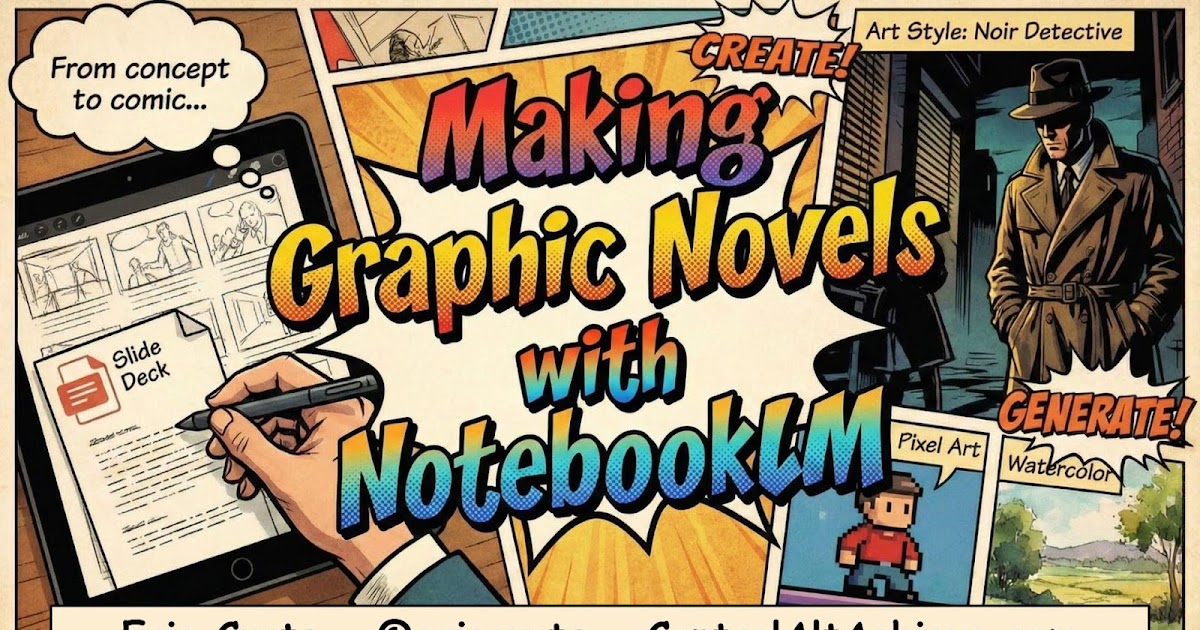
Watercolor has a soft, artistic vibe, perfect for email marketing or other creative topics.

4. Campaign Post-Mortem: What Worked and Why
The situation: Quarter’s over. You need to understand what worked and what didn’t. But information is fragmented: results in reports, discussions in email threads, and decisions made on calls. Who decided what and why? Nobody remembers clearly anymore.
What I did: I uploaded everything to NotebookLM: performance reports, call recordings, project correspondence, and strategy changes. Then asked, “What decisions did we make mid-quarter, and how did they impact results?” Where did we deviate from the plan? Which hypotheses were confirmed and which failed?”
The result: NotebookLM reconstructed the timeline and cause-and-effect relationships. You get an honest breakdown: not “we got unlucky” but “we changed creatives on March 15, after which CTR dropped 20%.” Gold for leadership reports and improving future campaigns.
Ready-to-use prompts:
- What decisions did we make mid-quarter, and how did they impact results? Where did we deviate from the plan?
- Which hypotheses were confirmed and which failed? Cite the data.
- Create an executive brief: 5 bullets covering What Happened / Why / What to Do Next. Ground everything in the QBR deck and analytics export.
Output: Decision timeline, cause-effect analysis, and executive brief with citations.
5. Voice of Customer: The Trap for Lost Insights
The reality: Every customer call is gold. Every social media comment is data. Every support ticket contains insight. But here’s the problem: most of it gets lost. You hear it, nod, and move on. Six months later, you launch a product nobody wants because the real customer needs stayed buried in forgotten conversations.
The solution: Create a “Voice of Customer” notebook and regularly upload everything: call recordings, comment screenshots, support exports, and survey results. Once a month, open it and ask, “What new pain points emerged this month? What are customers requesting that we don’t offer yet? What words do they use to describe their problems?”
The result: You stop losing insights. NotebookLM finds patterns you’d miss, like three different customers complaining about the same thing in different words over the past month. This is the foundation for product decisions, content, and ad messaging.
Ready-to-use prompts:
- Extract the top 10 recurring pain points from calls and tickets. Group them by theme and show example quotes with citations.
- What new pain points emerged this month that weren’t mentioned before?”
- What are customers requesting that we don’t offer yet?
- List the exact phrases customers use when describing [problem]. Provide 15 quotes for ad copy testing.
Output: Themed pain point report, customer language bank for copywriting, and product feedback summary.
How to Get Started with NotebookLM
- Go to notebooklm.google.com and sign in with your Google account.
- Create a new notebook and give it a descriptive name (e.g., “Q4 Campaign Audit” or “Voice of Customer 2026”).
- Add 5–10 quality sources to start; you can always add more later.
- Review the auto-generated summary NotebookLM creates for each source.
- Ask your first question, be specific, and mention source names if you have many files.
Pro tip: When you have many sources, specify which ones to use in your prompt: “From the Google Ads Q4 Report only, what was our lowest-performing campaign?” This keeps answers focused and citations clear.
Common Mistakes to Avoid
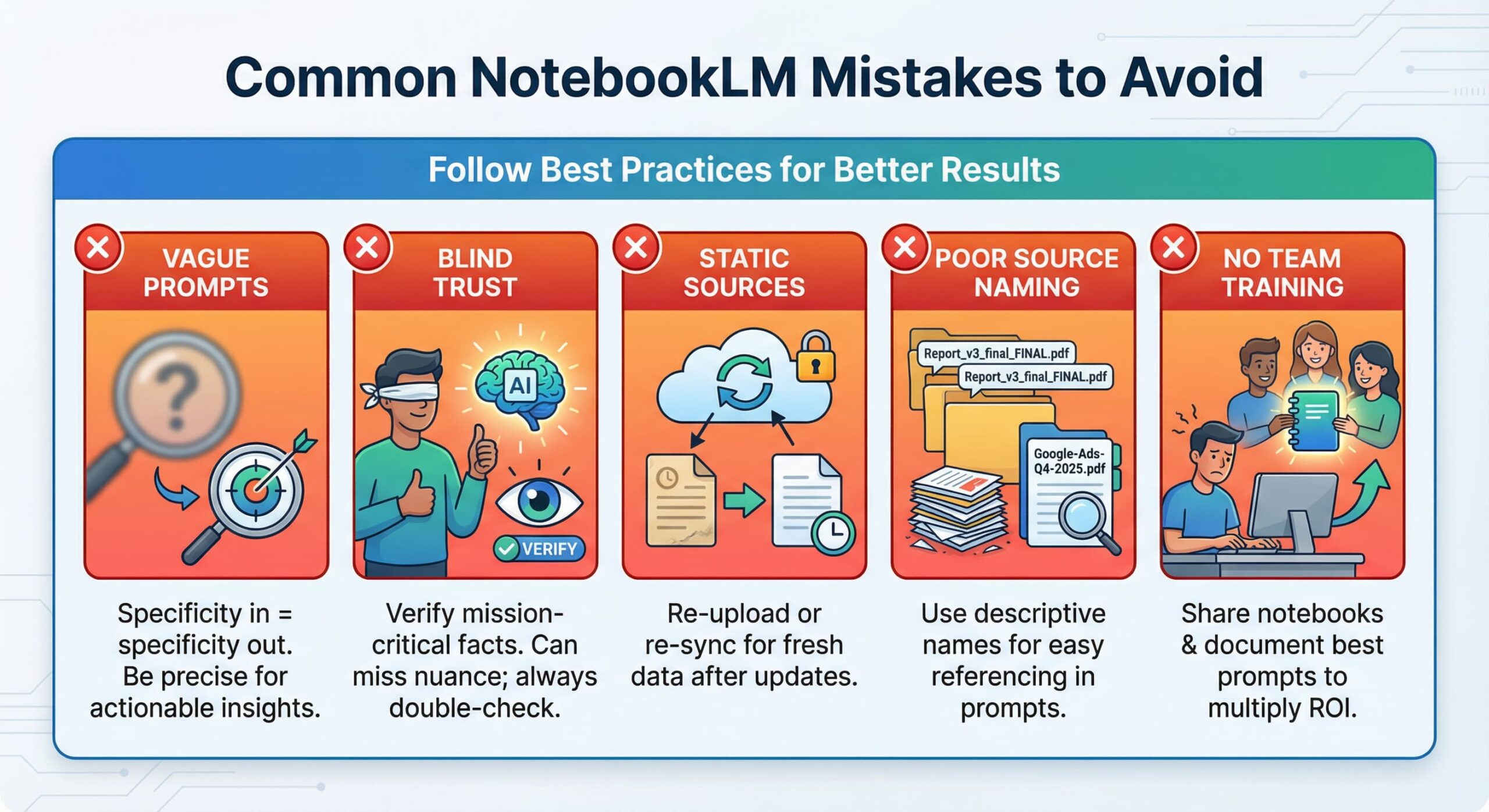
Vague prompts. “Analyze documents” gets you vague results. “Find three key differences between our product and competitor X based on uploaded materials, with quotes” gets you actionable insights. Specificity in = specificity out.
Blindly trusting results. While NotebookLM grounds answers in your documents, it can still misinterpret context or miss nuance. Always verify mission-critical facts before presenting to leadership or publishing.
Forgetting that sources are static. If you update a campaign report, the notebook will still reference the old version until you re-upload the file or manually re-sync Google Drive.
Poor source naming. “Report_v3_final_FINAL.pdf” is useless when referencing sources in prompts. Use descriptive names like “Google-Ads-Q4-2025.pdf” so you can easily call them out.
Not training your team. You mastered NotebookLM, but your colleagues still spend hours on manual analysis. Share your notebooks, document your best prompts, and run a 30-minute team training. The ROI multiplies when everyone uses it.
The Bottom Line
NotebookLM won’t replace strategic thinking, creativity, or marketer intuition. But it eliminates the grunt work and dramatically speeds up analysis. A marketer who spends three hours on manual competitor analysis loses to one who does it in 30 minutes with NotebookLM and uses the saved time for strategy, creative work, and team leadership.
The free tier handles most marketing workflows. Pick one use case to start: Campaign Audit or Voice of Customer. Create a notebook today, upload 5–10 sources, and run three prompts from this guide.
You’ll never go back to hunting through 15 documents manually.
Further Reading
Now that you’ve mastered research with NotebookLM, level up your marketing stack:
- Why AI Cites Some Brands and Ignores Others: The Citation Stack Explained
- AI Tools for Marketers
- What Is an AI Marketing Agent?
- 7 Midjourney V7 Prompts for Marketing Ads
- NotebookLM Infographic: The Complete Guide to Turning Your Data Into Visual Stories
- GPT Image 2 for Marketers: How to Finally Get Readable Text in AI Images
- Nano Banana Pro: The Complete Guide for Marketers 2026
- AEO vs SEO vs GEO: What’s the Difference and Where to Start in 2026
- Brand DNA: The Missing Piece Between Your Brand and AI
- Why AI Engines Trust Reddit More Than Brand Content (And How to Change That)
About the author
Serafima Osovitny is a Marketing Manager at Nova Express, where she focuses on digital marketing, search visibility, content strategy, and marketing workflows. She writes practical guides that help marketing teams research their audiences, develop strategies, and put their plans into action.
Explore her work at serafima.digital and follow her on X: @OSerafimaA.







Leave a Comment